Every AI platform has limits. Yours doesn't.
Change anything in your CRM with AI, two ways: from the AI Developer panel inside the app, or from your terminal with Claude Code on a local copy of the source.
In the app
A panel in Settings for super-admins. Nothing to install.
From the command line
Claude Code on your own machine, against the full source.
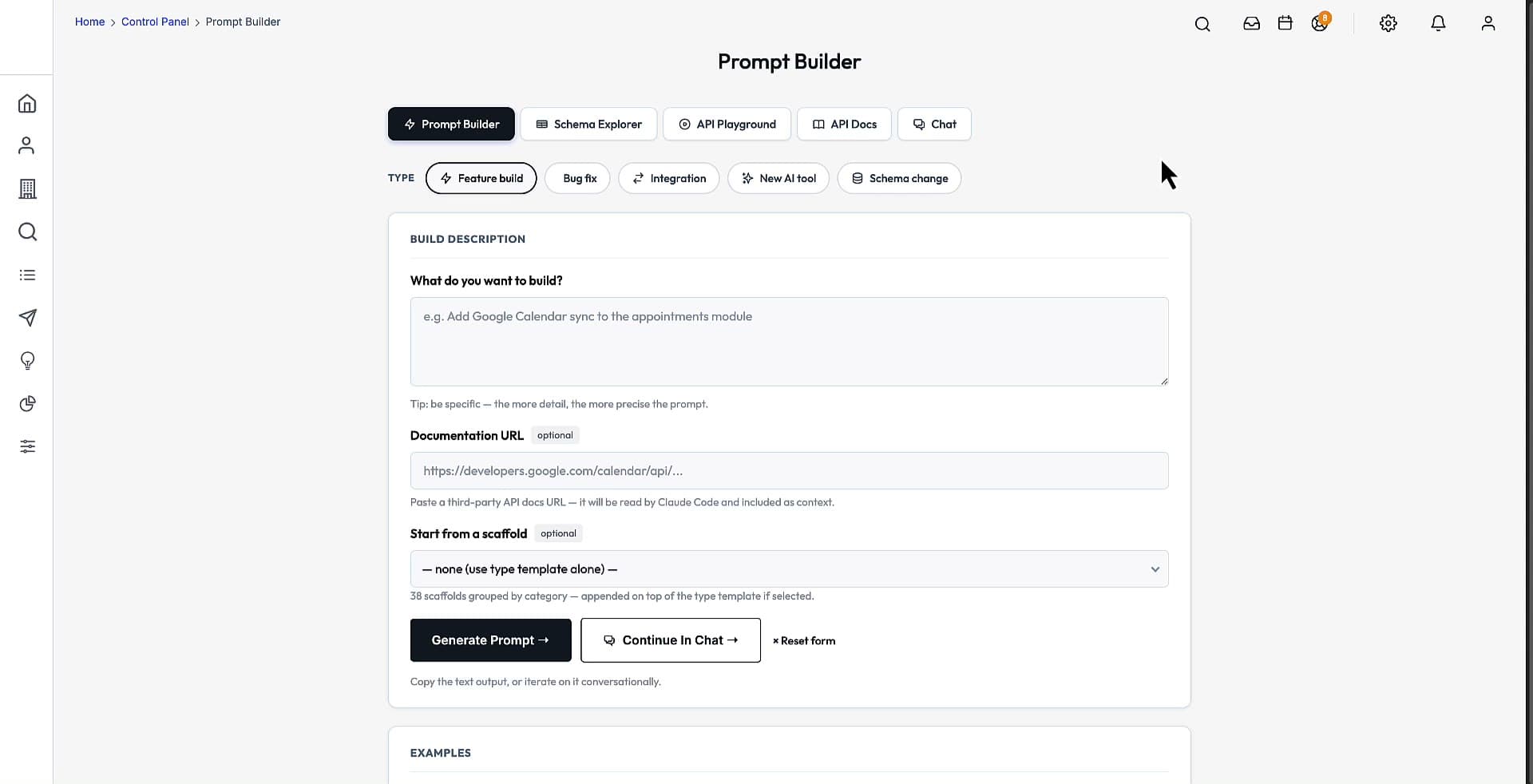
Five tools, one panel
Everything an agent needs to work on your install, inside the CRM itself. Super-admins open it from Settings, under Platform.
Prompt Builder
Describe it. Get a production-ready prompt.
Five prompt types, with platform rules, theme conventions and the relevant tables attached for you.
Schema Explorer
Every table, searchable, always in sync.
Read straight from the running database and grouped by domain, so it is never stale.
API Playground
Hit any endpoint from the browser.
An interactive REST console. Paste a token once and reuse it across requests.
API Docs
A full REST reference, rendered live.
Generated from the live routes, so the docs never drift from the app.
Developer Chat
Your codebase, on chat.
Context-aware help that knows your install, powered by Claude.
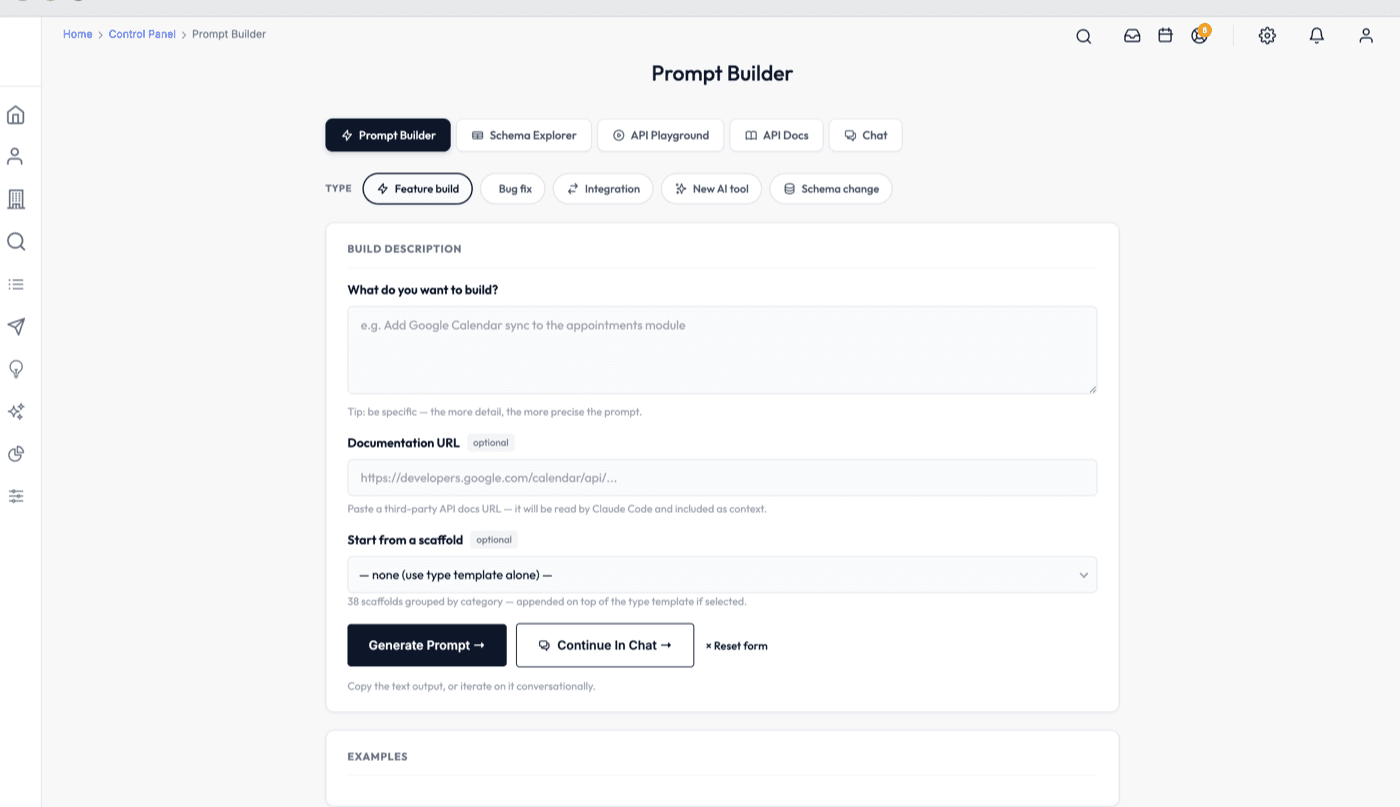
The prompt is built from your install
- 1
Open the panel
Settings, Platform, AI Developer (super-admins). Pick the type of change you want to make.
- 2
Describe it
One paragraph, plain English. No file paths, no boilerplate.
- 3
Get the build prompt
The live schema, theme conventions, module patterns and gotchas are attached for you.
- 4
Run it, review, ship
Paste it into Claude Code or any coding agent, check the diff, deploy.
Your CRM, on your machine, with Claude Code
Clone the source, start Claude in the folder and talk to it. The repo is set up for the agent before you open it.
$ git clone git@github.com:you/crm-platform.git
$ cd crm-platform
$ claude

● Read CLAUDE.md: stack, key paths, rules, gotchas

> On staging, help me set up a new AI lead-generation
  agent. It should target dental practices in Texas,
  pull up to 25 new leads per day, and send them my
  "New Product Launch" campaign.

● Creating the agent on staging …
● Scheduled: daily, 25 leads, campaign attached

> Looks good — promote to production.- 01
Clone your private repo
The full source comes as a private GitHub repo. Clone it to your own machine.
- 02
Start Claude in the folder
Run claude inside it. The project's CLAUDE.md gives the agent the stack, key paths, the rules and the known gotchas before you type a word.
- 03
Paste a prompt
Pick one from the prompt library, fill in the <blanks> in plain English, paste it in. Or just describe what you want.
- 04
Staging first, then promote
Every change lands on staging. Check it there, then tell Claude: “Looks good — promote to production.”
The prompt library
Copy-paste prompts that ship in the repo, so you can extend the CRM without writing code.
I1
Install and deploy
Servers created, connected to GitHub, domain pointed, HTTPS on, staging and production live — from one prompt, in about an hour.
A1–A7
Lead-gen agents
A new agent for a niche, an agent campaign, retargeting, a warm-up ramp, a persona, performance review, pausing an agent.
B1–B6
Custom reports
A brand-new report, trends by month, by rep, by source, a filtered list, or a copy of an existing report with tweaks.
Set up for an agent before you open it
- A project CLAUDE.md the agent reads at the start of every session
- The prompt library, one copy-paste file per prompt
- A DevOps deployment agent for servers, DNS and SSL
- A /checkpoint command that logs what each session built
- Planning and reference docs, including the known gotchas
New to Claude Code?
What the agent is, why this codebase suits it, real prompts and results, and how to review what it changes before it ships.
See the AI in action
The AI Developer, AI Studio and the always-on agents, running on real data.
AI Developer
7:33Built-in Claude Code prompt generator. Feeds live DB schema + file context into a ready-to-paste prompt.
AI Studio
8:39Visual sandbox for configuring AI across the CRM. Tune prompts, personas, tone, and which contexts each assistant has access to.
AI Agents
5:14Always-on agents that monitor CRM events — flag stale deals, draft follow-ups, and fire workflows without a human at the keyboard.
AI Agent — Lead Gen
2:57Lead-gen agent that works the 145M B2B database on autopilot — pulls matching prospects, enriches them, and queues outreach without manual list building.
See it on a live call
Watch the demo videos, then book 20 minutes to scope what you need and walk through the source.